

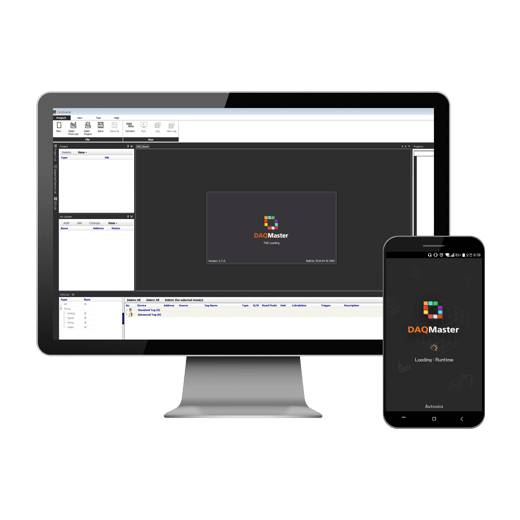
※ All features of the DAQMaster software will be available for use for 30 days after installation. After the trial period, Pro version features will be locked without the purchase of a paid license.
The software must be registered with a paid license and serial key within 30 days of installation to maintain Pro version features.
※ The DAQMaster Pro version license can be activated with the purchase of the DAQMaster Pro USB license dongle. Please refer to the terms of the license registration before use.
※ DAQMaster Mobile v2.0.0 is temporarily unavailable for download at the Google Play Store due to distribution policy.
If you would like to download the software, please visit the download page at the Autonics website.
[DAQMaster Mobile v2.0.0 Downloads]
Korean patent pending (10-2020-0049173)
DAQMaster Standard / Pro Version Common Features
- Multiple device support
- Scan for devices
- Simple graphic user interface
- Project management
- Data analysis using grids or graphs
- Log monitoring data
- Real-time Logging (CSV)
- Edit tag formulas
- Print Modbus Map Table report
- Lua script support
- Multi-language support (English, Korean, Japanese, Chinese-Simplified/Traditional)
* DAQMaster Mobile is only available in English, Korean, and Chinese-Simplified/Traditional
DAQMaster Pro Version Features
- Modbus device editor
- Trigger event, scheduler
- Action (SMS, e-mail, etc.)
- Push server (Android, iOS support)
- Database management
- TCP/IP server
- OPC DA server/client
- OPC UA client
- MQTT (publisher, subscriber)
- DDE server/client
- Modbus master/slave
- Virtual tag (tag combination)
- Manage user privileges
DAQMaster Features by Version
- (■) : Updates (added or changed features) are highlighted.
| Product | DAQMaster | DAQMaster Pro | DAQMaster Mobile | |||
|---|---|---|---|---|---|---|
| Version | v3.5.x | v3.5.x | Android: v2.0.0 | |||
| iOS: v2.0.0 | ||||||
| Type | Free | O | X | O | ||
| Paid | License | X | O | X | ||
| USB Dongle | X | O | X | |||
| O/S | PC | O | O | X | ||
| Mobile | Android | X | X | O (8.0 and above) | ||
| iOS | X | X | O (12.0 and above) | |||
| Web | X | X | X | |||
| Runtime Screen | Panel | Flash | X | X | X | |
| SVG | O | O | X | |||
| Vector Font | X | X | O | |||
| Multi-Panel | Flash | X | X | X | ||
| SVG | X | X | X | |||
| Vector Font | O | O | O | |||
| Grid | O | O | O | |||
| Line Graph | ||||||
| Bar Graph | O | |||||
| Color Map Graph | X | |||||
| Gauge Graph | O | |||||
| Histogram Graph | X | |||||
| Alarm History Grid | X | |||||
| Basic Features | GUI | O | O | O | ||
| Data Monitoring | ||||||
| Set Parameters | ||||||
| Project Management | ||||||
| Multiple Device Support | ||||||
| Scan for Devices | ||||||
| Lua Script Support | ||||||
| Log Monitoring Data | X | |||||
| Edit Tag Formulas | ||||||
| Print Modbus Map Table Report | ||||||
| Expansion Features | Data Analysis | ddf | Grid | O | O | X |
| Graph | ||||||
| Alarm Spread | ||||||
| Analysis Spread | ||||||
| Database | DB Grid | |||||
| DB Graph | ||||||
| Utility (Tool) | Modbus Device Editor | X | O | X | ||
| Script Editor | ||||||
| Scheduler | O | |||||
| Trigger Event | O | |||||
| Virtual Tag(Tag Combination) | O | |||||
| Manage User Privileges | O | |||||
| Action | Log Start | X | O | X | ||
| Log Stop | ||||||
| Send to Telegram | ||||||
| Play Alarm Sound | ||||||
| Tag Error Message | ||||||
| Tag Alarm | ||||||
| Tag Output | O | |||||
| SFTP | O | |||||
| Print Report | O | |||||
| SMS | O | |||||
| O | ||||||
| Realtime Log | CSV | O | O | X | ||
| SQL | Oracle | X | O | |||
| SQL Server | ||||||
| MySQL | ||||||
| DB2 | ||||||
| SQLite | ||||||
| PostgreSQL | ||||||
| InterBase | ||||||
| Nexus DB | ||||||
| Firebird | ||||||
| Sybase ASE | ||||||
| Sybase ADS | ||||||
| MS Access | ||||||
| DBF | ||||||
| Advantage | ||||||
| NoSQL | Mongo DB | O | ||||
| Protocol | TCP/IP Server | Monitoring | X | O | X | |
| Security (Login) | O | |||||
| Security (Protocol) | X | |||||
| Read Tag | O | |||||
| Write Tag | O | |||||
| OPC | DA | 1.0(Format) | X | O | X | |
| 2.0(Format) | O | |||||
| 3.0(Format) | O | |||||
| Server | O | |||||
| Client | O | |||||
| AE | 1.0(Format) | X | O | X | ||
| 1.10(Format) | O | |||||
| Server | X | |||||
| Client | O | |||||
| UA | TCP(Format) | X | O | X | ||
| HTTP(Format) | O | |||||
| HTTPS(Format) | O | |||||
| Server | X | |||||
| Client | O | |||||
| DDE | CF_Text(Format) | X | O | X | ||
| XL_Table(Format) | O | |||||
| Advanced DDE(Format) | X | |||||
| FastDDE(Format) | X | |||||
| SuiteLink(Format) | X | |||||
| Server | O | |||||
| Client | O | |||||
| WMI Manager | X | O | X | |||
| Push Server | Android | O | ||||
| iOS | O | |||||
| Database Middleware Server | O | |||||
| MQTT | Publisher | X | O | X | ||
| Subscriber | O | X | ||||
| Fieldbus Master | CC-Link IE Field Basic | X | O | X | ||
| Modbus Master | RTU | O | O | X | ||
| TCP | X | |||||
| ASCII | X | |||||
| Modbus Slave | RTU | X | O | X | ||
| TCP | O | |||||
| ASCII | O | |||||
| DAQMaster Mobile Features | DAQMaster Client Function | Monitoring | – | – | O | |
| Read/Write Parameters | O (DAQMaster Pro v3.4 and higher) |
|||||
| Read All Parameters for Registered Devices | O | |||||
| Horizontal Screen Support | O | |||||
| Backup/Restore Project Files | Google Drive | O | ||||
| DAQMaster Push Alarm Function | Android | O | ||||
| iOS | O (DAQMaster Pro v3.4 and higher) |
|||||
| Supported Devices | AUTONICS | MT4 | O | O | O | |
| TF3 | ||||||
| THD | ||||||
| TK4 | ||||||
| TM2 | ||||||
| TM4 | ||||||
| TX | ||||||
| ARM | ||||||
| CT | ||||||
| MP5 | ||||||
| BFC | O | |||||
| DS(A)-xT | X | |||||
| DS-RRT | ||||||
| MP5W | ||||||
| MP5Y | ||||||
| SCM-USU2I | ||||||
| SCM-WF48 | ||||||
| TZ/TZN | ||||||
| SPR1 | O | O | O | |||
| SPR3 | O | O | O | |||
| PSM | O | O | X | |||
| TMH | O | O | O (except TMH-C) |
|||
| ARIO | O | O | X | |||
| DPU (1-Phase) | O | O | O | |||
| DPU (3-Phase) | O | |||||
| KN-2000W | O | |||||
| KRN50 | O | |||||
| KRN100 | O | |||||
| KRN1000 | O | |||||
| KPN | X | |||||
| Multi-Language Support | English | O | O | O | ||
| Korean | O | |||||
| Chinese | Simplified | O | ||||
| Traditional | O | |||||
| Japanese | X | |||||
* DAQMaster Mobile available for Android and iOS.
Android (Google Play): DAQMaster
iOS (App Store): DAQMaster
DAQMaster Standard / Pro Version Common Features

Multi-Device Support
- – Simultaneously monitor multiple devices and configure parameters
- – Simultaneously connect multiple units with different addresses within the same device
- – Multiple RS232 ports are available with Modbus RTU communication

Scan for Devices
When multiple units with different addresses are connected, unit address scan function can be used to search for units automatically.

Project Management
Save added device information, data monitoring screen layouts, I/O source selection, etc. as project files. Opening a project file will automatically load the saved settings. Project list is created for easier project file management.

Data Analysis
Data analysis feature allows data files (*.ddf) to be converted into grids or graphs. The information can be saved in *.rtf, *.txt, *.html, or *.csv files from the data grid screen.

Log Monitoring Data
While monitoring data can be logged and saved into DAQMaster data files (*.ddf) or CSV files (*.csv). The saved CSV file can be opened directly onto Excel spreadsheets. Define log data file naming rules destination folders for easier file management.

Real-Time Logging
Log files are automatically created and saved as CSV files at user specified times.
DAQMaster Pro Features

Modbus Device Editor
Add and monitor status of any Modbus devices which are not included on the default list.

MQTT (Message Queuing Telemetry Transport)
Collected data can be published to broker or subscribed to broker using MQTT protocol.

Database Management
Information can be changed to database using database management systems (Access, MySQL, SQL Server, SQLite) in real-time, allowing easy creation and management of various databases.

OPC DA (Data Access)
he OPC Specifications are based on the OLE, COM, and DCOM technologies developed by Microsoft to facilitate interoperability of applications. If offers industry standard mechanism for communication and data transfer between client and servers.

OPC UA (Unified Architecture)
The unified architecture is a standard communication protocol to transmit data from sensors or PLCs. Data can be collected through various OPC UA servers through OPC UA protocol.

Dynamic Data Exchange (DDE) Client
Dynamic Data Exchange is a method of interprocess communication under Microsoft Windows which allows sharing of information between applications. This function uses shared memory and provides a common protocol to applications.
PC System Requirements (DAQMaster / DAQMaster Pro)
| Item | Minimum specifications |
|---|---|
| Hardware | IBM PC compatible computer with 1GHz or higher processor |
| Operating System | Microsoft Windows 7/8.1/10 |
| Memory | 2GB+ |
| HDD | 1GB+ of available hard disk space |
| Display | Resolution: 1024×768 or higher |
| Additional | RS232C serial port (9-pin), USB port |
System Requirements (DAQMaster Mobile)
| Item | Minimum specifications |
|---|---|
| Version | Android version 8.0 or higher and 10.0 or lower, iOS 12.0 or higher |
| Rating | Rated for 3+ |
| Permissions | Read/edit/delete files from storage All internet features when connected to Wi-Fi |
The DAQMaster Pro version license can be activated with the purchase of the DAQMaster Pro USB license dongle.
| Model | Number of Tags |
|---|---|
| DAQ-000-USB | Unlimited |
