

User-friendly interface
makes screen creation easier.

Features
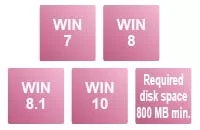
Compatible with Windows®8 / 8.1 / 10
(Also supports 64-bit version.)
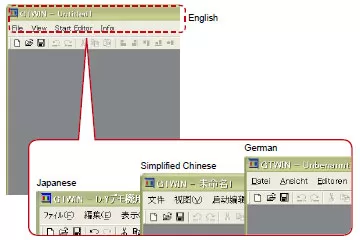
Compatible with the nine languages for the menu
The menu can be indicated in Japanese, English, Simplified Chinese, Traditional Chinese (Note), Korean (Note), German (Note), Italian (Note), Spanish (Note) and French (Note).
Note: Ver.2 only
Simply drag-and-drop parts
You can easily create screens by just dragging parts from the library and dropping them anywhere you want.
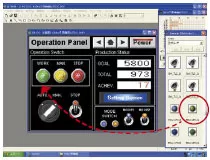
Just drag-and-drop your original parts to be registered.
You can also register your preset original parts easily by drag-and- drop operations.
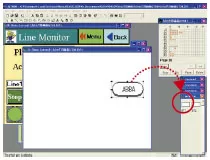
Screen copy in bitmap form
You can output screen images in bitmap form and use them in off-the-shelf applications. This is useful for preparing equipment operation manuals.
Function to turn on / off the display of keyboard parts on the base screen
Indications of data parts in Japanese, Simplified Chinese, Traditional Chinese, and Korean
Now supports installation in a portrait orientation of all GT series models
Notes
- There is a combination that can not be simultaneous communication of GTWIN and FPWIN using the pass through function.
In the case of combination that has become a “○” in the table below, you can transfer the screen data using the the GTWIN when the FPWIN is online.
However, if either of the FPWIN and the GTWIN is in communication, other communication will be stopped.In the case of combinations that has become a “×” in the table below, you can not transfer the screen data using the GTWIN when the FPWIN is online.
When used in this combination, please switch to offline the FPWIN before screen transfer of the GTWIN. After the screen transfer of the GTWIN is complete, please switch to online the FPWIN again.
| FPWIN GR | FPWIN GR7 | FPWIN Pro | FPWIN Pro7 | |
|---|---|---|---|---|
| Terminal GTWIN Ver.2 | ○ | × | ○ | × |
| Terminal GTWIN Ver.3 | × | ○ | × | ○ |
Order guide
Main Unit and Tool Software
| Product name | Description | Part No. | |
|---|---|---|---|
| Terminal GTWIN Ver.2 |
Japanese version | Terminal GTWIN CD-ROM | AIGT8000V2 |
| English version | Terminal GTWIN CD-ROM | AIGT8001V2 | |
| Terminal GTWIN Ver.2 Upgrade version *1 |
Japanese version | Terminal GTWIN CD-ROM | AIGT8000V2R |
| English version | Terminal GTWIN CD-ROM | AIGT8001V2R | |
[Note]
The following applicable products and options are available continuously.
| Product name |
DescriptionScreen size |
Part No. | |
|---|---|---|---|
| Terminal GTWIN Ver.2 | Japanese version | Terminal GTWIN CD-ROM | AIGT8000V2 |
| English version | Terminal GTWIN CD-ROM | AIGT8001V2 | |
| Terminal GTWIN Ver.2 Upgrade version*1 |
Japanese version | Terminal GTWIN CD-ROM | AIGT8000V2R |
| English version | Terminal GTWIN CD-ROM | AIGT8001V2R | |
| Terminal GTWIN Ver.3 *2 |
Japanese version | Terminal GTWIN CD-ROM | AIGSGT7JP |
| English version | Terminal GTWIN CD-ROM | AIGSGT7EN | |
Note: The model of the “Available” have a built-in clock.
*1: For upgrading Terminal GTWIN Ver. 1 to Ver. 2.